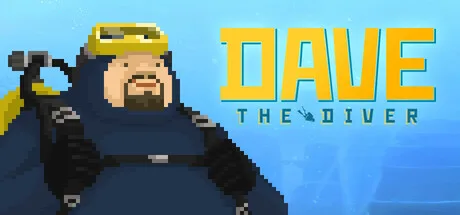
Dave the Diver save file location
%USERPROFILE%\AppData\LocalLow\nexon\DAVE THE DIVER\SteamSData\<user-id>\~/Library/Application Support/nexon/DAVE THE DIVER/SData/Save files: GameSave_00_GD.sav. JSON scrambled with a repeating XOR key: gold, Bei, Artisan's Flame, followers, ingredients, items and story progress.
Cloud saves: Steam Cloud syncs this save. If Steam restores the old file after you edit, turn off Steam Cloud for the game (Library, right-click, Properties, General) while you edit, load the edited save once, then turn it back on and keep the local files.
Which Dave the Diver save file to edit
The folder holds more than one kind of save. DaveSaveEd looks for these names and preselects the one changed most recently:
| File | Where | What it is |
|---|---|---|
GameSave_XX_GD.sav | Steam folder | Autosave |
m_….sav | Steam folder | Manual save |
| Long name of letters and digits, no extension | %LOCALAPPDATA%\Packages\Mintrocket.DaveTheDiver…\SystemAppData\wgs\ | Xbox app / Game Pass save. Leave containers.index and the container. files alone |
If your change does not show up in the game, you probably edited an older file. Sort the folder by date and take the newest save.
Steam Deck and Linux
Steam Play keeps the Windows folder inside the game's Proton prefix. Look in steamapps/compatdata/1868140/pfx/drive_c/users/steamuser/AppData/LocalLow/nexon/DAVE THE DIVER/SteamSData/ in the Steam library where the game is installed.
What is inside a Dave the Diver save
A decoded save is ordinary JSON. These are the fields DaveSaveEd changes, taken from its source code:
| Value | Field in the JSON | “Set to Max” writes |
|---|---|---|
| Gold | PlayerInfo.m_Gold | 999,999,999 |
| Bei | PlayerInfo.m_Bei | 999,999,999 |
| Artisan's Flame | PlayerInfo.m_ChefFlame | 999,999 |
| Followers | SNSInfo.m_Follow_Count | 99,999 |
| Jungle gold | JDLCContents.junglePlayerInfoSave.jungleGold | 999,999,999 |
| Jungle flame | JDLCContents.junglePlayerInfoSave.jungleChefFlame | 999,999 |
| Ingredients | Ingredients (each has ingredientsID, count, level) | 66, 666 or 6,666, depending on the ingredient's own limit |
| Other items | InventoryItemSlot (each has itemID, totalCount) | The number you type |
The ingredient buttons replace the count rather than add to it, so the “own” button can also lower a stack that is already bigger. “All” adds ingredients you have never caught, and skips those from DLC that your save does not list as installed.
Edit other values by hand
DaveSaveEd does not touch staff levels, pets or chest items. For those, its author published a Python script, encdec.py, that turns a save into JSON and back:
- Copy the savePut a copy of the .sav file and encdec.py in an empty folder, and keep a second copy elsewhere.
- DecodeRun
python encdec.py GameSave_00_GD.sav. It writes GameSave_00_GD.json. - EditChange the number you want in a text editor. If you see a value starting with
BYPASSED_HEX::, leave it exactly as it is. - EncodeRun
python encdec.py GameSave_00_GD.json, answer y to overwrite, and copy the .sav back.
The save is only scrambled, not really encrypted: every byte is combined with the repeating word GameData. The exception is a farm animal name field that does not follow that pattern, which is why the script keeps it as raw bytes. That is also why a simple XOR converter can break on some saves.
What you can edit
- DaveSaveEd: gold, Bei, Artisan's Flame, follower count, Jungle DLC gold and flame, ingredient quantities and other items.
Dave the Diver save editors and tools
DaveSaveEd
Not verified- gold, Bei, Artisan's Flame, follower count
- Jungle DLC gold and flame
- ingredient quantities and other items
Windows .exe in releases; also reads Xbox / Game Pass saves (support the author calls preliminary). Copies the save to %TEMP%\DaveSaveEd_Backups before writing.
We link only to the tool author's own page (GitHub, Nexus Mods or the official site). Download tools from there, never from re-uploads.
How to edit your Dave the Diver save
- Back up the saveClose Dave the Diver and copy the whole save folder somewhere safe before changing anything. See how to back up game saves.
- Find the save fileGo to %USERPROFILE%\AppData\LocalLow\nexon\DAVE THE DIVER\SteamSData\<user-id>\ (Windows) and find GameSave_00_GD.sav.
- Edit itUse one of the tools listed on this page to change the values you want.
- Put it backReplace the original file with the edited one (same file name), then start Dave the Diver and load the save.
Tips and common problems
- Edit the newest GameSave_XX_GD.sav; the game rotates between several.
- Close the game before editing, or it overwrites your changes on quit.
- In the first days, before the sushi bar is running, the game scripts some values itself. DaveSaveEd's author notes that gold stays at -100 until the sushi bar quest is done, so edit after that.
- DaveSaveEd's automatic backups are in your temporary folder, which Windows cleanup tools can empty. Keep your own copy too.
- If the tool cannot read your save, get its latest release: 1.4 fixed saves from other languages, and 1.3 stopped adding ingredients from DLC you do not own.
If the save won't load
- Put your backup back first; most "corrupted save" messages come from a value outside what the game accepts.
- Make sure the edited file has exactly the original name (remove
-edited). - Check the cloud-save note above: the old copy may have been downloaded again.
FAQ
Where is the Dave the Diver save file?
Windows: %USERPROFILE%\AppData\LocalLow\nexon\DAVE THE DIVER\SteamSData\<user-id>\. macOS: ~/Library/Application Support/nexon/DAVE THE DIVER/SData/.
Why does Dave the Diver undo my save edits?
Steam Cloud syncs this save. If Steam restores the old file after you edit, turn off Steam Cloud for the game (Library, right-click, Properties, General) while you edit, load the edited save once, then turn it back on and keep the local files.
Can I edit a Dave the Diver Game Pass save?
DaveSaveEd has opened Xbox app and Game Pass saves since version 1.6b, and its author calls that support preliminary. The save is a long-named file without an extension in the wgs folder; the tool finds it for you. Back up the whole wgs folder first.
Why is my gold still -100 after editing the save?
In the opening days the game sets gold itself. DaveSaveEd's author says it stays at -100 until the sushi bar quest is finished. Play past that point, then edit the newest save.
Similar games
Stardew Valley
Graveyard Keeper
Cult of the Lamb
Dragon Quest Builders 2

The Planet Crafter
Fallout Shelter
This page is unofficial and not affiliated with Mintrocket. Dave the Diver and its trademarks belong to their owners. Edit saves only for single-player play; we don't cover online games, anti-cheat or piracy.