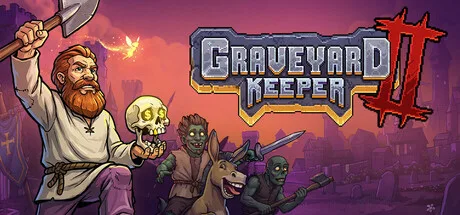
Graveyard Keeper 2 save file location
%USERPROFILE%\AppData\LocalLow\Lazy Bear Games\Graveyard Keeper 2\Save files: *.dat, *.info. Like the first game, each save is a .dat file with the world state and a matching .info file with its summary.
Cloud saves: Steam Cloud syncs this save. If Steam restores the old file after you edit, turn off Steam Cloud for the game (Library, right-click, Properties, General) while you edit, load the edited save once, then turn it back on and keep the local files.
What you can edit
- Graveyard Keeper 2 Save Editor: player values, supported inventories, zombie workers, raw view of data without a dedicated editor, undo.
Graveyard Keeper 2 save editors and tools
- player values
- supported inventories
- zombie workers
- raw view of data without a dedicated editor
- undo
Web version at netroscript.github.io/graveyard-keeper-2-savegame-editor; desktop builds (with automatic backups) in releases. Open the .dat together with its .info.
We link only to the tool author's own page (GitHub, Nexus Mods or the official site). Download tools from there, never from re-uploads.
How to edit your Graveyard Keeper 2 save
- Back up the saveClose Graveyard Keeper 2 and copy the whole save folder somewhere safe before changing anything. See how to back up game saves.
- Find the save fileGo to %USERPROFILE%\AppData\LocalLow\Lazy Bear Games\Graveyard Keeper 2\ (Windows) and find *.dat, *.info.
- Edit itOpen the file with Graveyard Keeper 2 Save Editor and change the values you want.
- Put it backReplace the original file with the edited one (same file name), then start Graveyard Keeper 2 and load the save.
Tips and common problems
- The web editor downloads a new file and can't back up for you: keep the original .dat and .info until the edited save loads.
- The desktop version finds saves automatically and zips a backup before replacing one.
If the save won't load
- Put your backup back first; most "corrupted save" messages come from a value outside what the game accepts.
- Make sure the edited file has exactly the original name (remove
-edited). - Check the cloud-save note above: the old copy may have been downloaded again.
FAQ
Where is the Graveyard Keeper 2 save file?
Windows: %USERPROFILE%\AppData\LocalLow\Lazy Bear Games\Graveyard Keeper 2\.
Why does Graveyard Keeper 2 undo my save edits?
Steam Cloud syncs this save. If Steam restores the old file after you edit, turn off Steam Cloud for the game (Library, right-click, Properties, General) while you edit, load the edited save once, then turn it back on and keep the local files.
Similar games


This page is unofficial and not affiliated with Lazy Bear Games. Graveyard Keeper 2 and its trademarks belong to their owners. Edit saves only for single-player play; we don't cover online games, anti-cheat or piracy.