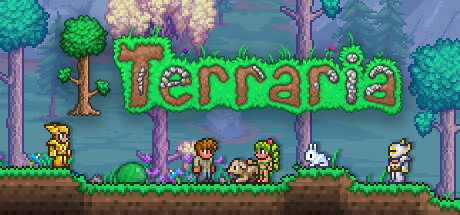
Terraria save file location
%USERPROFILE%\Documents\My Games\Terraria\Players\ and \Worlds\~/Library/Application Support/Terraria/~/.local/share/Terraria/Players/ and Worlds/Save files: Players\<name>.plr, Worlds\<world>.wld. Characters (.plr) are encrypted binary files; worlds (.wld) are a binary map of tiles, chests and NPCs. Cloud saves sit in Steam userdata instead.
Cloud saves: Characters and worlds marked as cloud saves live in Steam userdata, not in Documents. Move them to local in the game's menu (the cloud icon) before editing.
What you can edit
- TEdit (Terraria Map Editor): world tiles, walls, liquids, chest contents, NPCs, world flags and boss progress.
Terraria save editors and tools
- world tiles, walls, liquids
- chest contents
- NPCs, world flags and boss progress
Windows app; docs at docs.tedit.dev. Close Terraria before saving a world.
We link only to the tool author's own page (GitHub, Nexus Mods or the official site). Download tools from there, never from re-uploads.
How to edit your Terraria save
- Back up the saveClose Terraria and copy the whole save folder somewhere safe before changing anything. See how to back up game saves.
- Find the save fileGo to %USERPROFILE%\Documents\My Games\Terraria\Players\ and \Worlds\ (Windows) and find Players\<name>.plr, Worlds\<world>.wld.
- Edit itOpen the file with TEdit (Terraria Map Editor) and change the values you want.
- Put it backReplace the original file with the edited one (same file name), then start Terraria and load the save.
Tips and common problems
- Terraria keeps .bak copies of characters and worlds next to the originals.
- For character items, a Journey mode character can duplicate items with the research menu, no file editing needed.
If the save won't load
- Put your backup back first; most "corrupted save" messages come from a value outside what the game accepts.
- Make sure the edited file has exactly the original name (remove
-edited). - Check the cloud-save note above: the old copy may have been downloaded again.
FAQ
Where is the Terraria save file?
Windows: %USERPROFILE%\Documents\My Games\Terraria\Players\ and \Worlds\. macOS: ~/Library/Application Support/Terraria/. Steam Deck / Linux: ~/.local/share/Terraria/Players/ and Worlds/.
Why does Terraria undo my save edits?
Characters and worlds marked as cloud saves live in Steam userdata, not in Documents. Move them to local in the game's menu (the cloud icon) before editing.
Similar games





This page is unofficial and not affiliated with Re-Logic. Terraria and its trademarks belong to their owners. Edit saves only for single-player play; we don't cover online games, anti-cheat or piracy.