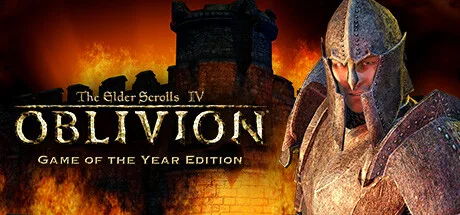
The Elder Scrolls IV: Oblivion save file location
%USERPROFILE%\Documents\My Games\Oblivion\Saves\Save files: Saves\Save <number> - <name>.ess. A .ess file has a header (player name, level, location, screenshot) and the list of active plugins, followed by the changed state of every record in the world, including the player's stats and inventory.
What is inside an .ess file
Oblivion saves only what differs from the game's data files. In order, an .ess holds:
- a header that starts with
TES4SAVEGAME: save number, player name, level, current cell, days passed, play time and an uncompressed screenshot; - the plugin list: every .esm and .esp that was active when you saved;
- global data: your cell and position, global variables, death counts, the weather, and the potions, spells and enchantments you made;
- change records for everything that changed, such as NPCs (the player is NPC
00000007), items, cells, placed objects, quests and dialogue; - a table that maps the save's references back to the form IDs in the plugins.
Objects created during play get form IDs counting up from FF000000; a very long game can run out of them, which UESP calls the Reference Bug. Saves from the Xbox 360 version have an extra container header and must be unwrapped before the PC game can read them.
Autosaves, quicksaves and .bak files
autosave.ess and quicksave.ess are overwritten each time, and the game first renames the previous one to autosave.bak or quicksave.bak. If the latest autosave or quicksave is broken, delete it and rename the .bak back to .ess. The save folder comes from SLocalSavePath in Oblivion.ini (default Saves\), and Oblivion.ini is in Documents\My Games\Oblivion unless bUseMyGamesDirectory is set to 0.
Wrye Bash for saves
The mod manager Wrye Bash is still maintained (v315, September 14, 2026) and supports the original Oblivion. Its Saves tab shows each save's player, level, location, play time, screenshot and plugin list, and it can rename the player, repair a few known save problems, remove bloat (marked experimental) and revert to a backup. For stats and items, the console is the safer route.
What you can edit
- OSE - Oblivion Save Editor: save header: player name, level, location, screenshot, base health, magicka, fatigue, attributes and skills.
The Elder Scrolls IV: Oblivion save editors and tools
OSE - Oblivion Save Editor
Not verified- save header: player name, level, location, screenshot
- base health, magicka, fatigue
- attributes and skills
Early-stage editor, not updated since 2013; many changes are untested, so keep a backup.
We link only to the tool author's own page (GitHub, Nexus Mods or the official site). Download tools from there, never from re-uploads.
How to edit your The Elder Scrolls IV: Oblivion save
- Back up the saveClose The Elder Scrolls IV: Oblivion and copy the whole save folder somewhere safe before changing anything. See how to back up game saves.
- Find the save fileGo to %USERPROFILE%\Documents\My Games\Oblivion\Saves\ (Windows) and find Saves\Save <number> - <name>.ess.
- Edit itUse one of the tools listed on this page to change the values you want.
- Put it backReplace the original file with the edited one (same file name), then start The Elder Scrolls IV: Oblivion and load the save.
Tips and common problems
- The console (~ key) does most of this safely: player.setav for skills and attributes, player.additem F 1000 for 1,000 gold, player.setlevel for your level. UESP warns that advskill can upset level-ups and modpcs wraps values above 255 back to 0, so prefer setav.
- This page is for the 2006 game. Oblivion Remastered (2025) handles saves differently (they are grouped by character, with five autosave slots), and the tools here are for the original.
- If you use OBSE, each .ess has a .obse file next to it; copy both.
If the save won't load
- Put your backup back first; most "corrupted save" messages come from a value outside what the game accepts.
- Make sure the edited file has exactly the original name (remove
-edited). - If the game syncs saves to the cloud, turn sync off while you edit, or the old file comes back.
FAQ
Where is the The Elder Scrolls IV: Oblivion save file?
Windows: %USERPROFILE%\Documents\My Games\Oblivion\Saves\.
How do I restore an Oblivion autosave or quicksave?
Close the game, delete the broken autosave.ess or quicksave.ess, and rename autosave.bak or quicksave.bak to the same name ending in .ess. The game makes that .bak from the previous autosave or quicksave each time it saves.
Can I change my Oblivion character without a save editor?
Yes. The console (~ key) changes skills and attributes with player.setav, gives gold with player.additem F 1000 and sets your level with player.setlevel. Make a normal save first so you can go back.
Similar games

Mass Effect Legendary Edition

Cyberpunk 2077

Star Wars: Knights of the Old Republic
Baldur's Gate 3
Pillars of Eternity
Neverwinter Nights 2: Enhanced Edition
This page is unofficial and not affiliated with Bethesda Game Studios. The Elder Scrolls IV: Oblivion and its trademarks belong to their owners. Edit saves only for single-player play; we don't cover online games, anti-cheat or piracy.