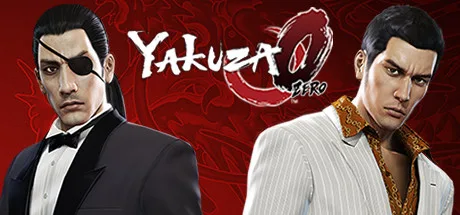
Yakuza 0 save file location
C:\Program Files (x86)\Steam\userdata\<SteamID>\638970\remote\%LOCALAPPDATA%\Packages\SEGAofAmericaInc.Yakuza0PC_s751p9cej88mt\SystemAppData\wgs\Save files: SaveData0000.sav, SaveData0001.sav, .... Unencrypted, uncompressed binary with values at fixed positions and no checksum: money, CP, inventory and item box for Kiryu and Majima, completion data.
Cloud saves: Steam Cloud syncs these files and tracks them in remotecache.vdf one folder up. Turn Steam Cloud off for the game while you edit; the editor updates remotecache.vdf, but the author never tested it with cloud saves on.
What you can edit
- y0-cli-save: money and CP, add any item by ID or name, to the bag or the item box, all darts, fishing poles, Pocket Circuit parts, crafting items, weapons and gear.
Yakuza 0 save editors and tools
y0-cli-save
Works- money and CP
- add any item by ID or name, to the bag or the item box
- all darts, fishing poles, Pocket Circuit parts, crafting items, weapons and gear
Python 3 command line; tested on the US Steam version. Run y0save.py -i first to see what's in a save.
We link only to the tool author's own page (GitHub, Nexus Mods or the official site). Download tools from there, never from re-uploads.
How to edit your Yakuza 0 save
- Back up the saveClose Yakuza 0 and copy the whole save folder somewhere safe before changing anything. See how to back up game saves.
- Find the save fileGo to C:\Program Files (x86)\Steam\userdata\<SteamID>\638970\remote\ (Windows) and find SaveData0000.sav, SaveData0001.sav, ....
- Edit itOpen the file with y0-cli-save and change the values you want.
- Put it backReplace the original file with the edited one (same file name), then start Yakuza 0 and load the save.
Tips and common problems
- Each slot is one SaveDataNNNN.sav file; files ending in .clr are save data too and the editor reads them.
- Use --kiryu or --majima to pick the character; by default the editor changes whoever is active in the save.
- Copy the whole remote folder before editing.
If the save won't load
- Put your backup back first; most "corrupted save" messages come from a value outside what the game accepts.
- Make sure the edited file has exactly the original name (remove
-edited). - Check the cloud-save note above: the old copy may have been downloaded again.
FAQ
Where is the Yakuza 0 save file?
Windows: C:\Program Files (x86)\Steam\userdata\<SteamID>\638970\remote\. Xbox / Game Pass PC: %LOCALAPPDATA%\Packages\SEGAofAmericaInc.Yakuza0PC_s751p9cej88mt\SystemAppData\wgs\.
Why does Yakuza 0 undo my save edits?
Steam Cloud syncs these files and tracks them in remotecache.vdf one folder up. Turn Steam Cloud off for the game while you edit; the editor updates remotecache.vdf, but the author never tested it with cloud saves on.
Similar games
NieR:Automata
Sekiro: Shadows Die Twice
Mass Effect Legendary Edition
Baldur's Gate 3
Cyberpunk 2077
Need for Speed Underground 2
This page is unofficial and not affiliated with Ryu Ga Gotoku Studio. Yakuza 0 and its trademarks belong to their owners. Edit saves only for single-player play; we don't cover online games, anti-cheat or piracy.