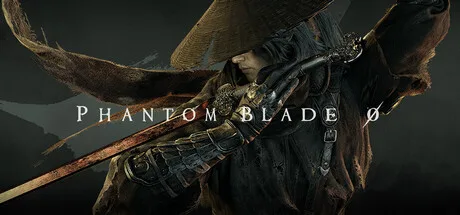
Phantom Blade Zero save file location
<Steam library>\steamapps\common\PBZ\ProjectPBZ\Saved\SaveGames\Steam\<SteamID64>\~/.local/share/Steam/steamapps/common/PBZ/ProjectPBZ/Saved/SaveGames/Steam/<SteamID64>/Save file: PBZSaveGame.sav. One file holds every manual slot, the autosaves, NG+ (Nightmare) runs and the account-wide wardrobe. Next to it the game keeps three folders of rolling backups: 1RealTime, 2Hourly and 3Daily. Settings are elsewhere, in %LOCALAPPDATA%\ProjectPBZ\Saved\Config\Windows\.
Why it is not in AppData
Most Unreal Engine 5 games save to %LOCALAPPDATA%\<project>\Saved\SaveGames\, and Phantom Blade Zero does create a ProjectPBZ folder there, which is why so many players look in the wrong place. Only the settings file and shader cache go to AppData. The saves go to the Saved folder inside the game installation. That also means uninstalling the game, or a Verify integrity of game files that you follow by deleting the folder, can take your saves with it: copy the SteamID64 folder out first.
What is inside PBZSaveGame.sav
The file is a container its format write-up calls PBZS: it starts with the four letters PBZS, a version number (3 on the launch build) and a count of slots. After that:
- Encrypted directory and slots. The list of slots and every slot inside it are sealed with AES-256-GCM. The key is not published; the editors find it in the game files on your PC.
- Compression per slot. A slot can be raw JSON, zlib, or Oodle Kraken (the game's own choice).
- JSON underneath. Once decrypted, a slot is plain JSON with sections such as
Inventory(InventoryInfos,MainWeaponInfos) andPlayer(Dust,RemainingDays). Weapon grades are stored one higher than shown, so +7 in game is saved as 8. - No Steam ID inside. The 17-digit number only names the folder.
Because of the encryption, generic tools cannot open it: not a text editor, not our JSON / XML / Base64 editor, and not the Unreal .sav (GVAS) converters, since this is not a GVAS file. Use a tool built for this game.
What you can edit
- SaveSmith: Dust, weapon upgrade materials, growth items, death and per-boss records, game time, Codex entries; add or upgrade weapons and accessories (marked as risky by its own docs).
- PBZ Editor: inventory with icons, search and map filters: weapons, phantom weapons, accessories, materials, medicines and outfits, quantities and upgrade levels.
- Phantom Blade 0 Save Manager: does not change values; moves single slots between save files and exports them as
.pbzslotpackages.
Phantom Blade Zero save editors and tools
SaveSmith
Not verified- Dust, weapon upgrade materials (0–9999), growth items
- total deaths, per-boss attempts and best times, game time
- Codex (enemies, books, memories)
- add, upgrade or delete weapons and accessories
Portable exe, needs WebView2. Backs up before every save and refuses to write if the file fails its check. Its docs say it is verified on Steam build 26266538 only, and that NG+ (NightmareRun) slots have not been tested. Open source (MIT): github.com/gundamff/SaveSmith. Nexus quarantines each new upload until a moderator reviews it, so the newest version can be missing for a few hours.
PBZ Editor – Inventory and Save Editor
Not verified- 799 entries: main and phantom weapons, accessories, materials, medicines, outfits
- quantities and upgrade levels, with item icons and map filters
- undo, export a copy, automatic backups
Extract the whole ZIP outside the game folder and run PBZ-Editor.exe; backups go to %LOCALAPPDATA%\PBZ-Editor. English and Chinese UI. Adding a quest item does not complete its quest, and outfits change the account wardrobe. Tested on Steam build 26266538; unknown save layouts open read-only. Source (MIT): github.com/qry6868/PBZ-Editor.
Phantom Blade 0 Save Manager
Not verified- move one slot into another save file, keeping its other slots
- import and export single slots as .pbzslot files
- each export includes the untouched original and an integrity report
Beta. Nightmare (NG+) slots cannot be imported. The Windows build is unsigned and the Mac build is not notarized; the Mac app edits Windows saves, it does not run the game.
We link only to the tool author's own page (GitHub, Nexus Mods or the official site). Download tools from there, never from re-uploads. The format details on this page come from the open write-up at github.com/fancydirty/phantom-blade-zero-save-format and the SaveSmith and PBZ Editor docs.
How to edit your Phantom Blade Zero save
- Close the game and pause Steam CloudQuit Phantom Blade Zero completely. In Steam, open the game's Properties → General and turn off Steam Cloud while you edit, or the old file can come back on the next launch.
- Back up the save folderCopy the whole 17-digit SteamID64 folder, including 1RealTime, 2Hourly and 3Daily, somewhere outside the game folder. See how to back up game saves.
- Edit with a dedicated toolOpen PBZSaveGame.sav in SaveSmith or PBZ Editor, make your changes and save. Both write their own backup first.
- Check it in gameStart the game, load the edited slot, save once and reload. Check one or two other slots too, then turn Steam Cloud back on.
Tips and common problems
- Change one thing at a time. A single edited value that breaks a slot is easy to undo; ten are not.
- The tools are checked against one game build (26266538). After a game patch, wait for the tool to update before writing to your main save.
- Quest items added by an editor do not complete the quest that uses them.
- SaveSmith writes changed slots back as zlib instead of Oodle. The game reads that fine; if a stats viewer such as HeyBox cannot read the file, load the save in game and save once.
If the save won't load
- Put your backup back first: copy the SteamID64 folder you saved over the edited one.
- No backup? Take the newest PBZSaveGame.sav from 1RealTime (or 2Hourly / 3Daily) and put it in place of the main file.
- If Steam Cloud restores an older file after you replace it, pause Cloud, replace the file again, launch, then turn Cloud back on so your copy is uploaded.
FAQ
Where is the Phantom Blade Zero save file?
In the game's install folder, not in AppData: <Steam library>\steamapps\common\PBZ\ProjectPBZ\Saved\SaveGames\Steam\<17-digit SteamID64>\PBZSaveGame.sav. All manual saves, autosaves and the account wardrobe are inside that one file.
Can I edit the Phantom Blade Zero save in a text or JSON editor?
No. PBZSaveGame.sav is a binary PBZS container: the slot directory and every slot are encrypted with AES-256-GCM, and some slots are also Oodle-compressed. The game data inside is JSON, but only a tool that decrypts and re-encrypts the file can reach it.
Can I copy a Phantom Blade Zero save to another Steam account?
According to the public format write-up, the SteamID64 only names the folder; it is not stored inside the file. Put the file in the other account's folder with Steam Cloud paused, and keep a backup of what was there.
What are the 1RealTime, 2Hourly and 3Daily folders?
Rolling backups that the game writes itself, next to PBZSaveGame.sav. If an edit goes wrong, a copy from one of them is often a quicker fix than starting over.
Similar games
Sekiro: Shadows Die Twice
Bloodborne
The Blood of Dawnwalker
NieR:Automata
Borderlands 4
Unreal Engine Games
This page is unofficial and not affiliated with S-GAME. Phantom Blade Zero and its trademarks belong to their owners. Edit saves only for single-player play; we don't cover online games, anti-cheat or piracy.