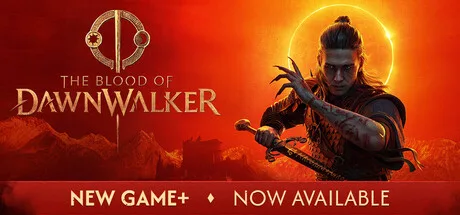
The Blood of Dawnwalker save file location
%LOCALAPPDATA%\Dawnwalker\Saved\SaveGames\%LOCALAPPDATA%\Dawnwalker\Saved\GOGSaveGames\~/.local/share/Steam/steamapps/compatdata/3751260/pfx/drive_c/users/steamuser/AppData/Local/Dawnwalker/Saved/SaveGames/Save files: every slot is three files with the same name: ManualSave0.sav (the save itself), ManualSave0.meta (a small JSON file the load menu reads) and ManualSave0.png (the thumbnail). Autosaves are named Autosave0, Autosave1 and so on. RebelSettings.sav in the same folder holds your settings, not progress. Always copy or move the three files of a slot together.
Steam Cloud, GOG Galaxy and Xbox cloud all sync this folder, so a file you put back can be replaced by the cloud copy. Pause sync, or launch once offline, when you restore a backup.
Back up your save before New Game+ (Update 1.2)
Update 1.2 (17 November 2026) added New Game+. It unlocks once you finish the Epilogue. You start it from the main menu by choosing a base save and a difficulty; the game then starts over from the beginning, and your character level, skills and inventory become available in the prologue, at the start of the Withering Away quest. NG+ raises the level cap to 100, removes zone scaling and adds NG+ versions of armor, swords and accessories (marked with an NG+ label; legendaries get a red frame).
The patch notes do not say what happens to the base save itself, so treat it as precious:
- Make a clean save after the EpilogueMake a manual save once the credits are done, so your finished playthrough is in its own slot, not only in an autosave that will be overwritten.
- Close the game and copy the whole folderCopy all of
SaveGames(GOG:GOGSaveGames) to a folder outside AppData, for exampleDocuments\Dawnwalker backup 2026-11-21. Copying the whole folder keeps every .sav, .meta and .png together. - Start NG+ and make a first manual savePick your base save from the main menu, play into the prologue and make a manual save. From now on your NG+ run has its own slot.
- Back up again before you edit the NG+ saveOf the three editors below, only DwSav says it supports Update 1.2, NG+ gear and NG+ characters above level 50. Copy the folder again before opening the NG+ slot in any editor, and save the edit as a separate copy.
To go back, close the game, pause cloud sync and copy your backup folder over SaveGames. See also how to back up game saves.
What is inside a Dawnwalker .sav
The game runs on Unreal Engine 5, but its saves are not Unreal's usual GVAS files. Rebel Wolves use their own container: the file starts with DSAV, a header with the save and game version, then CHNK blocks of Oodle Kraken compressed data and a VASD footer. The saves are not encrypted and have no checksum, which is why several editors exist, but the content is bit-packed binary, so a text editor, our JSON / XML / Base64 editor or a GVAS converter cannot open it. The save version changes with game patches: version 134 was used up to 1.0.x and 136 from 1.1.0, and DwSav lists 142 as supported too, so an editor that was not updated may refuse or damage a newer save.
What you can edit
- DwSav: coins, skill points, level, XP, health, blood, mutation, corruption; inventory and item levels; perks; infamy; the clock; some quest and world facts.
- The Blood of Dawnwalker Save Editor (gam3f0rg3): talent and ability levels, with details, requirements and costs.
- Blood of Dawnwalker Save Editor (FullTimePatriot): time, money, health, infamy and perk points.
The Blood of Dawnwalker save editors and tools
DwSav – Dawnwalker Save Editor
Not verified- coins, skill points, level, XP, health, blood, mutation, corruption
- add and remove items, quantities, item level upgrades
- perk ranks, book requirements, infamy, the in-game clock
- inspect quests and world facts; edit some quest conditions
Extract the ZIP and run DwSav.exe; no .NET, Oodle or UE4SS setup needed. Finds Steam and GOG installs by itself. The author lists support for Update 1.2 on Steam and GOG, including NG+ gear and item upgrades for NG+ characters above level 50, and save versions 134, 136 and 142. Saves edits to a separate copy and backs up the original slot. After updating it, use Settings → Refresh game assets. Close the game before saving. Perk, inventory-structure, infamy and clock edits are marked experimental by the author.
The Blood of Dawnwalker Save Editor
Not verified- talent and ability levels
- talent details, requirements, ability costs and cooldowns
- automatic backup before overwriting, restore from backups
Keep the lib folder next to DawnwalkerSaveEditor.exe. Windows SmartScreen may warn because it is unsigned. English, Polish and German interface. Last updated before Update 1.2, so try it on a copy of an NG+ save first.
Blood of Dawnwalker Save Editor
Not verified- time, money, health
- infamy, perk points
Unzip and run. Includes a repair feature for a lighting problem that older versions of this editor caused. Last updated in September, before Updates 1.1 and 1.2 changed the save version, so use it only on a copy.
We link only to the tool author's own page (GitHub, Nexus Mods or the official site). Download tools from there, never from re-uploads.
How to edit your The Blood of Dawnwalker save
- Back up the SaveGames folderClose the game and copy %LOCALAPPDATA%\Dawnwalker\Saved\SaveGames (GOG: GOGSaveGames) somewhere outside AppData.
- Find the slotEach save is three files with the same name: ManualSaveN or AutosaveN with .sav, .meta and .png. Sort by date to find the newest.
- Edit with a dedicated toolOpen the .sav in DwSav (or another editor above) and save the result as a separate copy.
- Load the copyStart the game, load the edited copy and check it before you overwrite or delete anything.
Tips and common problems
- Edit a manual save, not an autosave: the game rotates autosaves and may overwrite your edit.
- Adding a quest item does not finish its quest; you still have to do the reading or interaction in game.
- After a game patch, update the editor before writing to your main save, and in DwSav run Settings → Refresh game assets.
If the save won't load
- Put your backup back first, with all three files of the slot.
- Pause Steam Cloud or GOG Galaxy sync while you restore, or the cloud copy wins.
- Use an editor's own restore feature if you saved without a manual backup: DwSav and the gam3f0rg3 editor both keep one.
FAQ
Where is The Blood of Dawnwalker save file?
Steam and Microsoft Store: %LOCALAPPDATA%\Dawnwalker\Saved\SaveGames\. GOG: %LOCALAPPDATA%\Dawnwalker\Saved\GOGSaveGames\. Each slot is a .sav file with a .meta and a .png of the same name.
How do I back up my save before New Game+?
After the Epilogue, make a manual save, close the game and copy the whole SaveGames (or GOGSaveGames) folder somewhere outside AppData. Then start NG+ from the main menu. If anything goes wrong you can put the folder back and still have your finished playthrough.
Which save editor works with Update 1.2 and New Game+?
DwSav (Nexus Mods, by Crimsab) lists support for Update 1.2 on Steam and GOG, including NG+ gear and item upgrades for NG+ characters above level 50. The other two editors were last updated before Update 1.2 came out.
Can I edit a Dawnwalker save in a text or JSON editor?
Not the .sav. It is a binary DSAV container with Oodle Kraken compressed data. Only the small .meta file next to it is plain JSON, and that only describes the slot for the load menu.
Similar games
Phantom Blade Zero

Cyberpunk 2077
Bloodborne
The Elder Scrolls IV: Oblivion
Baldur's Gate 3
Unreal Engine Games
This page is unofficial and not affiliated with Rebel Wolves or Bandai Namco Entertainment. The Blood of Dawnwalker and its trademarks belong to their owners. Edit saves only for single-player play; we don't cover online games, anti-cheat or piracy.